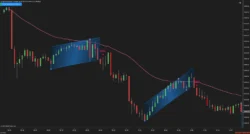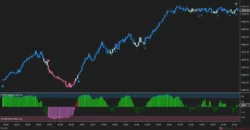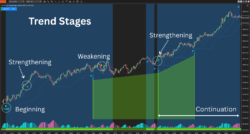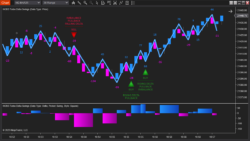





Description
Why You Need the BSG Blue Chip Indicator
https://shorturl.at/e5WVA
The BSG Blue Chip Global Indicator is a powerful, all-in-one trading tool that works across all markets, timeframes, and bar types—including stocks, bonds, futures, and Forex. Whether you’re a day trader, swing trader, or position trader, this indicator adapts to your style.
📈 Simple, Actionable Signals:
-

Buy when you see the Blue Dot, and exit at the Horizontal Blue Line.
-
Sell on the Red Dot, and exit at the Horizontal Red Line.
🔺 Built-In Risk Control:
-
Blue Apex Triangle (before a Blue/Red Dot): Place your stop 1 tick below the triangle base.
-
Red Apex Triangle (before a Blue/Red Dot): Place your stop 1 tick above the triangle base.
🎯 Key Features:
-
Trend Direction: Blue = Uptrend, Red = Downtrend.
-
Automatic Targets: Blue/Red lines act as clear take-profit zones.
-
Built-in Stop Guidance: Triangle markers show ideal stop placement.
-
Designed to help you capture big moves without getting prematurely stopped out.
🔍 What You’ll Know:
-
When to Enter
-
How to Manage Trades
-
When and How to Exit
-
How to Manage Risk—Start to Finish
✅ Compatible with any NinjaTrader license
✅ Works on any timeframe, market, or bar type
Take control of your trades with confidence—BSG Blue Chip shows you the way.
How to Install NinjaTrader 8 Indicators
elow are the paths to where the NT8 DLL and cs files go so you can manually install any nt8 software manually.
C:\Users\”Your User Name”\Documents\NinjaTrader 8\bin\Custom –> dll files go here
C:\Users\”Your User Name”\Documents\NinjaTrader 8\bin\Custom\Indicators –> cs file goes here
Installation steps:
1. click on Computer from the window start menu and open it
2. then click on C Drive
3. then click on Users
4. then click on “user name” folder
5. then click on the ”My Documents” folder
6. then click on the “NinjaTrader 8” folder
7. then click on the bin folder
8. then click on the cus to m folder and copy the DLL file in to that folder
9. then within the “The Custom Folder” click on the “Indicators Folder” and copy the CS file in to that folder
10. Then restart NinjaTrader 8